 Vitlog
A blood sugar reading is more useful when you know where it came from, which unit it uses, and what was happening when it was measured. A number copied into a notebook without its date or context can be difficult to discuss later. A careful personal record helps preserve those details, but it does not interpret the number for you.
This guide is about organizing information you already choose to record under appropriate professional guidance. It explains how to label readings, avoid common record-keeping mistakes, review a history, and prepare questions for an appointment. It does not tell you whether you need to test, how often to test, which treatment to use, or what target is right for you.
If your care team has given you instructions for high or low readings, illness, symptoms, or device problems, follow those instructions. Do not wait for a response from a website or an entry reminder when you need medical assistance. Vitlog is a manually maintained journal, not a continuous monitoring service or an emergency alert system.
1. Know what a home reading represents
The NIDDK describes a blood glucose meter as a device that measures glucose in a small blood sample at a particular moment. It distinguishes this from a laboratory A1C test and from devices that estimate glucose throughout the day. Your care team can explain which measurements are relevant to your own care and how to use them. [1]
For your record, identify the source of the information before entering it. A home meter result, a value copied from a laboratory report, and an estimate from another device should not be treated as interchangeable entries without explanation. If you are uncertain what a number represents, ask rather than guessing.
The same principle applies to someone else’s record. A number shared by a relative or shown in an article does not establish a personal target for you. Your medical history and care plan provide context that a general example does not contain.
2. Confirm whether and when recording is appropriate
Not everyone who reads an article about blood sugar needs to begin home testing. The decision about testing, equipment, timing, and targets belongs with an appropriate professional. Ask what information would be useful and what action, if any, you should take after different results.
If you already have instructions, keep them accessible in a form you understand. Write down whom to contact with questions about the device and whom to contact about your health. Those may be different services. A manufacturer can explain operating instructions, while your care team interprets readings in your medical context.
Before using a journal, decide what part of the existing process it will support. It might replace a paper list, organize notes for an appointment, or provide a convenient history. It should not quietly introduce a new testing schedule simply because a reminder screen offers a daily option.
3. Preserve the unit displayed by your device
Blood sugar may be displayed in different units, commonly mg/dL or mmol/L. Copying the numerical value without the unit can create a serious misunderstanding. Always check which unit the device or report uses, and select the corresponding unit when entering the reading.
Vitlog converts supported units into a standard storage unit and displays values using your preferences. That conversion is a record-keeping feature, not a clinical interpretation. If a displayed number looks different after you change a preference, first check the unit label rather than assuming the reading itself changed.
Avoid performing a conversion from memory and then selecting the original unit as well. That would apply the change twice. Enter the original number with its original unit, review the saved entry, and correct any mistake promptly. When sharing an export, point out that the file labels its units explicitly.
4. Record the date carefully
The entry date should describe when the measurement happened, not merely the day you opened the journal. If you add an older reading, check the date before saving. A value entered under the wrong day can make a later review confusing even when the number itself was copied correctly.
The current journal supports a date field and optional notes. If the time of day matters to the question you want to discuss, include that time in the notes because a date alone does not preserve it. Do not assume the order of entries proves the exact sequence of measurements.
Travel and time-zone changes need particular care. You may prefer to note the local time and place where the measurement occurred. Decide on a consistent convention with your care team if you travel frequently. The aim is a record that another person can understand without reconstructing your entire itinerary.
5. Add meal context without inventing precision
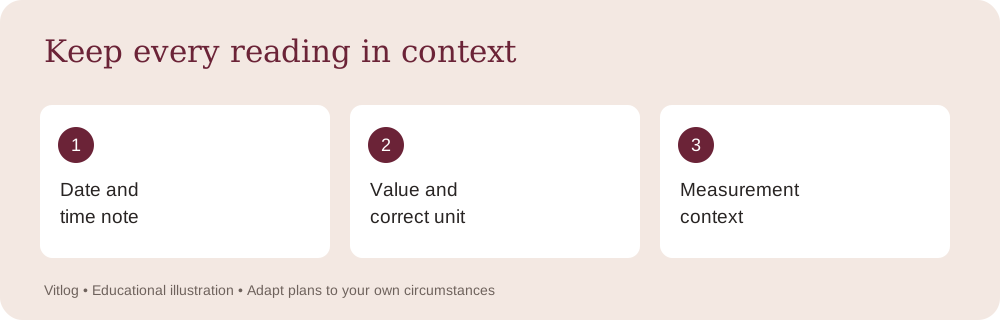
A label such as fasting, before a meal, after a meal, or bedtime can help describe when a reading was taken. Use the label that matches what actually happened and the definitions provided by your care team. If none is suitable or you are unsure, use an unspecified label and explain in the notes.
An “after meal” label does not by itself establish how much time passed. If timing matters, record the relevant time or interval rather than expecting the label to communicate it. Be clear about whether you are describing the start of the meal, the end, or an approximate recollection.
Do not change a label to make the entry resemble a target from an online example. A record should preserve circumstances, including uncertainty. “Timing not recorded” is more accurate than a confidently selected category that may not be correct. Your clinician can help decide what detail is worth recording in the future.
6. Keep device instructions separate from journal instructions
The device’s instructions govern how to prepare, measure, maintain, and store its supplies. Vitlog only provides fields for recording information after a measurement. A form on a website cannot replace the operating instructions for the equipment you use.
If a reading seems inconsistent with how you feel or the device reports an error, follow your device and care-team instructions. Do not repeatedly enter different numbers until the chart looks familiar. The question may concern technique, supplies, equipment, symptoms, or something else that requires individual guidance.
A short note can preserve what happened without attempting to solve the problem. For example, you might record that the device displayed an error and that you contacted its support service. Avoid placing account passwords, complete device serial numbers, or other unnecessary identifying details in a health note that you may later export.
7. Write notes that answer a practical question
A useful note is often brief and specific. It might describe when the reading was taken, whether the timing was approximate, or a question you want to raise. You do not need to produce a detailed narrative about every part of the day.
Choose information that relates to the discussion you expect to have. If you are asking about a particular pattern, your clinician can tell you what context would help. Recording everything you can remember may create more information without making the question clearer.
Keep observation and interpretation separate. “Measured before breakfast” describes an event. “This food caused the reading” makes a conclusion that a personal entry cannot establish. You can write that you wonder about a connection and ask about it, but the journal does not prove cause and effect or recommend changing treatment.
8. Enter the value once, then review the saved record
Before saving, compare the number on the form with the original source. Check the decimal point, unit, date, and context. This brief review is particularly useful if you are entering several readings from a paper list or moving between different unit preferences.
After saving, open the history entry and confirm that it says what you intended. If you spot a mistake, edit the record rather than adding a second unexplained entry. When a correction changes the meaning of an earlier note, update the note as well.
Multiple readings on one date are possible. Distinguish them with suitable context and notes rather than assuming a repeated date is always an error. On the other hand, an accidental duplicate can make the history look more complete than it is. Review the original record before deciding which entry should remain.
9. Understand the limits of a chart
A chart is a visual arrangement of saved values. Its appearance depends on the dates, units, and entries available. A line connecting two readings does not show what happened during every unrecorded hour or day. Missing information should remain missing rather than being filled with invented measurements.
An upward or downward segment is not a diagnosis. Your care team considers context, symptoms, testing conditions, laboratory information, and your individual care plan. A manual journal does not contain all of that information and does not continuously observe your health.
When reviewing the graph, use it to find entries you want to discuss. You might notice that a particular date needs a corrected unit or that a group of entries lacks meal context. Those are useful record-quality questions. Avoid changing a medication or delaying medical contact because of how a line looks on the screen.
10. Keep a personal target separate from a public example
Online health articles often display numerical ranges. A public example does not establish the range appropriate to you. The NIDDK emphasizes discussing individual blood glucose targets with a care team, including circumstances in which targets may differ. [1]
This article deliberately does not provide a target to copy into your journal. Ask your clinician which readings matter, what your own targets mean, and what action to take when values fall outside the plan. Keep those instructions somewhere you can access without relying on a website connection.
Vitlog does not assign a clinical “safe” or “danger” status to your entries. That design avoids implying that a number has been medically assessed. If you need automated device alarms or another monitoring arrangement, discuss appropriate tools with your care team. A daily entry reminder serves a different purpose.
11. Prepare an appointment summary
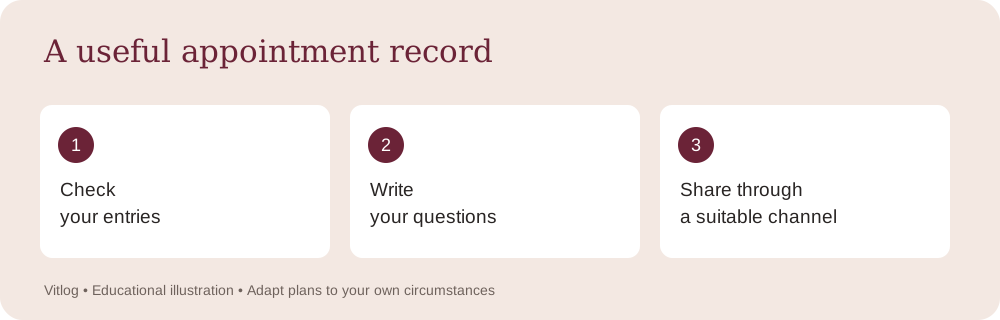
Before an appointment, choose the period relevant to your question. Check that the entries have the correct units and dates. Write a short description of how you collected the information, including any gaps or approximate times. This gives the reviewer a clearer starting point.
A summary might contain three questions rather than a conclusion: whether the recording schedule is useful, whether a particular context should be noted, and whether you are using the device correctly. Keeping the questions separate can make it easier to address them during the visit.
You can download a CSV history from Vitlog or bring another format your clinician prefers. Ask how to share the file through an appropriate channel. Do not assume ordinary email is the preferred route for a full health record. Your account reminder emails contain no readings and are not a substitute for secure clinical communication.
12. Protect the information you share
A health history may include more than the readings you intend to discuss. Personal notes can reveal routines, travel, or other details. Review the export before sending it and choose a sharing method appropriate to the recipient and purpose.
Protect your account password and sign out on shared devices. Be careful when downloading a file on a public computer because the file may remain after you close the browser. Deleting an entry from the website does not automatically remove a copy that has already been downloaded elsewhere.
If another person helps maintain your record, discuss what you want them to see and how you will manage access. Avoid sharing a password casually or entering another person’s information into your own account. Vitlog’s journal is organized around one account’s records, so mixing different people’s readings can make the history misleading.
13. Use reminders as an optional organizational tool
A reminder should arrive when it is convenient to update your record. It does not establish when you should measure blood sugar. Set the reminder around the recording routine you already use, and adjust it if your schedule changes.
You can choose in-app reminders and, when enabled, optional email or SMS reminders. Messages are general and do not include health readings. A missed or delayed message does not mean your care plan should be delayed, and the absence of a message does not indicate that a reading has been reviewed.
If you no longer want reminder emails, disable that channel in Daily Reminders. SMS preferences are separate. Choose the channels that suit you rather than enabling every option by default. A journal remains useful even when you prefer to update it without notifications.
A short record-quality review
Choose one saved entry and ask five questions: Is it yours? Is the date correct? Is the unit correct? Does the context reflect what happened? Is there a note explaining any uncertainty that matters? Correct an error before using that entry in a discussion or export.
Then review whether the recording process is manageable. If you repeatedly forget a particular detail, ask your care team whether that detail is necessary and how to record it simply. The aim is a useful, honest record that supports communication, not an elaborate data collection task that overwhelms your day.
Keep a correction understandable
When you correct an entry, check the surrounding information as well as the number. A unit correction may also require a note explaining why an earlier export looked different. If you have already shared the record with a clinician, tell them that a correction was made rather than assuming their downloaded copy will update automatically. Keep the original device record or paper note when that is part of your usual care process. The goal is to make the information understandable to the people using it. Editing a website entry changes that entry in the active journal, but it does not recall copies previously printed, downloaded, or sent elsewhere.
Frequently asked questions
Can a journal diagnose diabetes?
No. Diagnosis requires appropriate medical assessment and testing. Vitlog stores the information you enter. It does not diagnose diabetes, interpret laboratory reports, or determine whether you need to begin home testing.
What if I do not remember the time of a reading?
Do not invent a time. Record the information you can verify and note that the time is unknown if it matters. Ask your care team what level of timing detail is useful for future entries.
Are missing days automatically filled in?
No. A manual journal cannot know a reading you did not enter. The chart connects recorded values for convenience, but it does not estimate your blood sugar throughout the gaps.
Should I wait for an email if I have symptoms?
No. Reminder emails are administrative prompts to update a journal. Follow your care instructions and seek appropriate medical assistance when needed. The website and its reminders are not emergency services.
Sources and editorial note
[1] NIDDK, Managing Diabetes: https://www.niddk.nih.gov/health-information/diabetes/overview/managing-diabetes
[2] NIDDK, Continuous Glucose Monitoring: https://www.niddk.nih.gov/health-information/diabetes/overview/managing-diabetes/continuous-glucose-monitoring
The data-entry examples, privacy reminders, review checklist, and appointment prompts are original editorial guidance about record keeping. They do not constitute medical interpretation or endorsement by the linked organizations. Discuss testing, targets, symptoms, and treatment decisions with your own qualified care team.